A guide to Java, Linux, and other Technology topics
Navigation
Introduction to Squirrel SQL Database Client
Working With Database Data
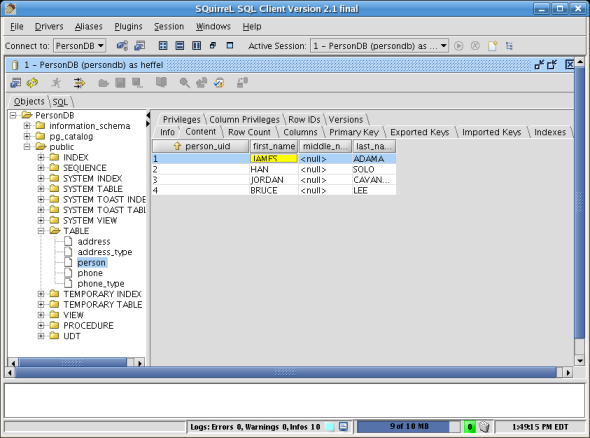
To view data in a database table without having to write a single line of SQL, click on the root node in the tree at the left hand side, then click on the desired schema, then on "tables", then double click on the desired table. Once there, click on the "content" tab.
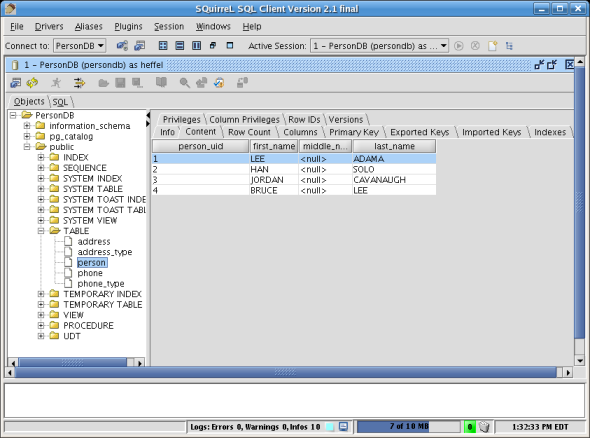
To edit the data in the table, we can right click on the data and selecct "Make Editable". We can then update a cell by clicking on it.
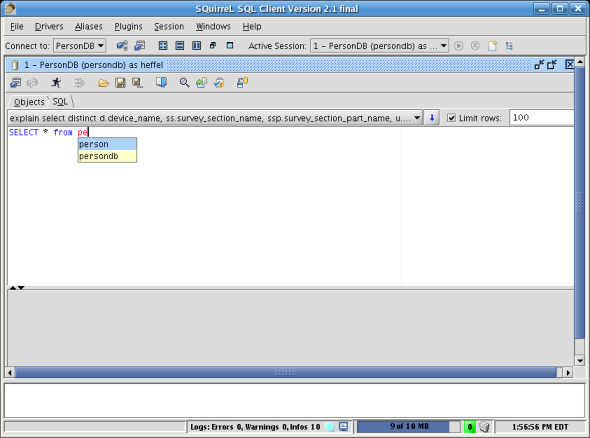
In addition to it's graphical data manipulation features, Squirrel SQL has an excellent SQL editor, it features code completion (ctrl-space) and code formatting (ctrl-alt-F).